
What your guests are asked
Added to the reply page when you create the event. Edit them, remove them or add your own.
- Always askedWill you be there?
- Suggested for this eventDietary needsAnswered in their own words
Baby shower
Tea and cake, a few games, a pile of tiny clothes and the friends who will be there for the first year. Often it is a sister or a best friend who organises it — the invitation and the replies make that part easy.
Made with AI
Ready inside
Choose this event type when you create the event and these are in place before you write a word. You can change every one of them.
Added to the reply page when you create the event. Edit them, remove them or add your own.
Every guest may bring one person to begin with. You change the allowance per invitation, or switch it off.
The steps that matter for this kind of event lead the form; the others stay one click away.
Invitation ideas
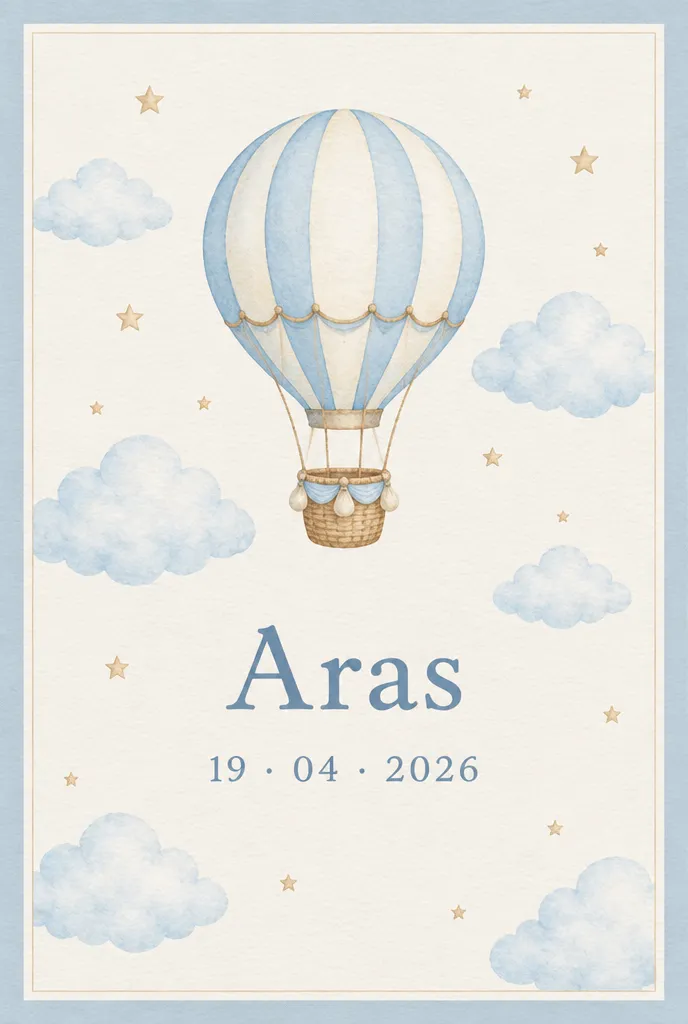
These invitations are ideas made with AI, here to dream from rather than templates to pick. On the Professional and Agency plans, Winglark’s AI assistant creates artwork and drafts the words for your own shower, and the parents’ names, the date and the venue stay exactly as you entered them.
Ideas made with AI to show what is possible. They are not ready-made templates: yours is made for your event.
Made with AI
Describe the mood to Winglark’s AI assistant. It creates the artwork and drafts the words for your event, and your names, date and venue sit on top exactly as you entered them.
The AI assistant is included in the Professional and Agency plans.
Baby shower
Start from a template or a blank page, choose the palette and the typeface, add a photograph, and preview the invitation exactly as a guest will see it.
Arrival, games, gifts, cake: the running order gives each moment a time and a place, and the guest page shows it, so nobody misses the opening of the presents.
The reply page suggests a question about dietary needs — handy when some guests are expecting too. Reword it, make it required or add questions of your own, such as a gift list note.
Plus-ones start switched on for a baby shower. Allow none, one or several per guest, for everyone or only for the guests you choose, and every companion is counted.
Write where the gift list lives, or a note about second-hand clothes, into the invitation’s own text. It stays on the guest page for anyone shopping the week before.
Import names from CSV or Excel, check likely duplicates before anyone is invited, and add a late name after the first send — only the new guest receives the invitation.
What your guests see
Guests never need an account. They open an invitation, answer in a minute, and walk in with a code on their phone.
Inside Winglark
These are the product’s own screens, drawn with invented guests. Nothing here is a mock-up of something that does not exist.
ListGuard
Import a spreadsheet; duplicates, invalid addresses and missing details are found before anything is sent.
| Marta Ruizmarta.ruiz@atlas.example | |
| deniz aydındeniz@aydin.example | a name in one field |
| Jonas Weberj.weber@nord.example | |
| Marta RuizMARTA.RUIZ@atlas.example | the same person twice |
| Priya Ramanpriya@meridian.example | |
| Tom Kellehertom@kelleher.exmple | an address that cannot be delivered to |
| Sofia Lindqvistsofia@lindqvist.example | |
| Aziz Karimaziz@karim.example | someone who asked not to be written to |
| Elif Demirelif.demir@atlas.example | |
| Rachel Oseir.osei@harbour.example |
7 will be invited3 wait for a person
On the evening and after
Each guest gets their own page for the evening on Companion, and the morning after AfterFlow thanks those who came and writes to those who could not — from the same guest list.
Baby shower
The organiser sends the invitations and receives every reply, and the guest page says only what you choose to write — nothing reaches the parents-to-be unless you invite them.
Friends of both parents on one list, with duplicates flagged before anyone receives two invitations and a reply export ready for whoever is baking.
The invitation email and the reply page appear in each guest’s language, while the words you wrote stay as you wrote them.
Baby shower
Say whose shower it is, when and where, and whether it is a surprise, so nobody mentions it to the parents-to-be. Write where the gift list lives, or a note about second-hand clothes, into the invitation itself; it stays on the guest page for anyone shopping the week before.
Keep the reply short: coming or not, any dietary needs, and a partner if you allow one. Guests answer through their own link, so replies reach the organiser and never the parents-to-be, and anyone can change their answer from the same link until you close changes.
Friends from work, family, neighbours, the antenatal group: gather names from every part of life, and from both parents if the shower is shared. Import them from CSV or Excel, check likely duplicates before anyone is invited, and keep the parents-to-be off the list if it is a surprise.
At home, the door is simply whoever is holding the teapot. For a larger shower at a rented venue, door check-in shows each guest a QR code and welcomes them by name, which helps when the person at the door has never met half of the guests.
Yes. Guests reply to the organiser through their own link, and the parents-to-be receive nothing unless you add them to the list.
Yes. Add a question of your own — a short answer, a choice or a yes or no — and every answer appears in the reply export.
No. They open the invitation, answer, and can change the reply later from the same link until you close changes.
Plus-ones start switched on for a baby shower, and you decide the allowance — none, one or several — for everyone or for chosen guests.
Fifty guests, real invitations, real replies. Request access and we will open your workspace.